 UPDF
UPDF
 UPDF for Windows
 UPDF for Mac
 UPDF for iPhone/iPad
 UPDF for Android
 UPDF AI Online
 UPDF Sign
 Edit PDF
 Annotate PDF
 Create PDF
 PDF Form
 Edit links
 Convert PDF
 OCR
OCR PDF to Word
 PDF to Image
 PDF to Excel
 Organize PDF
 Merge PDF
 Split PDF
 Crop PDF
 Rotate PDF
 Protect PDF
 Sign PDF
 Redact PDF
 Sanitize PDF
 Remove Security
 Read PDF
 UPDF Cloud
 Compress PDF
 Print PDF
 Batch Process
 About UPDF AI
 UPDF AI Solutions
 AI User Guide
 FAQ about UPDF AI
 Summarize PDF
 Translate PDF
 Chat with PDF
 Chat with AI
 Chat with image
 PDF to Mind Map
 Explain PDF
 Scholar Research
 Paper Search
 AI Proofreader
 AI Writer
 AI Homework Helper
 AI Quiz Generator
 AI Math Solver
 PDF to Word
 PDF to Excel
 PDF to PowerPoint
 Enterprise Solution
 Enterprise Sign
 Enterprise AI
 Enterprise Plan
 Enterprise User Guide
 Enterprise Webinar
 Banking
 Healthcare
 Insurance
 Legal
Legal Manufacturing
 Government
 Education Solution
 Customer Stories
 User Guide
 UPDF Tricks
 FAQs
FAQs UPDF Reviews
 Download Center
 Blog
Blog Newsroom
 Tech Spec
 Updates
 UPDF vs. Adobe Acrobat
 UPDF vs. Foxit
 UPDF vs. PDF Expert


The "Your Year with ChatGPT" feature offers a unique way for users to reflect on their AI interactions over the past year. It provides a clear picture of how we rely on AI in daily tasks by summarizing conversations, frequently asked questions, and activity trends. Many users discover patterns in their AI usage, from research and learning to document handling.
Tip: For those who frequently work with PDFs and academic content, tools like UPDF AI Online naturally complement ChatGPT by enhancing document workflows. Read on to explore your ChatGPT year-in review and see how UPDF can boost productivity.
Windows • macOS • iOS • Android 100% secure
Part 1. What Is "Your Year with ChatGPT"?
ChatGPT year-in review is an annual review feature that assists users in reviewing their ChatGPT usage during the year. It transforms everyday interactions into meaningful insights by highlighting usage patterns, key interests, and changing AI habits in a clear format. Now, we will take a closer look at what this feature does in fact and what the users can anticipate seeing.
- Summarizes your yearly ChatGPT usage with conversation counts and topic highlights included.
- Shows your most common questions, interests, and how your AI usage evolved.
- Reflects personal AI habits by highlighting patterns across learning, work, and creativity.
- Presents insights in a simple, visual format that helps users review progress.
What Users Typically See In Their ChatGPT Year-In Review
Now, let's look at what users usually find when they open their ChatGPT review.
- Conversation Activity: Total number of chats and how frequently ChatGPT was used throughout the year.
- Popular Topics: Common subjects, themes, and question types users interacted with most often.
- Usage Trends: Noticeable changes in activity levels across different months or periods.
- Interaction Patterns: How ChatGPT was used for learning, work tasks, research, or creative purposes.
What Your ChatGPT Year Reflects
The ChatGPT year-end review provides insight into how users interacted with AI throughout the year. Many users recognize that it is a sign of shifting AI habits and increasing reliance on AI to accomplish productivity tasks.
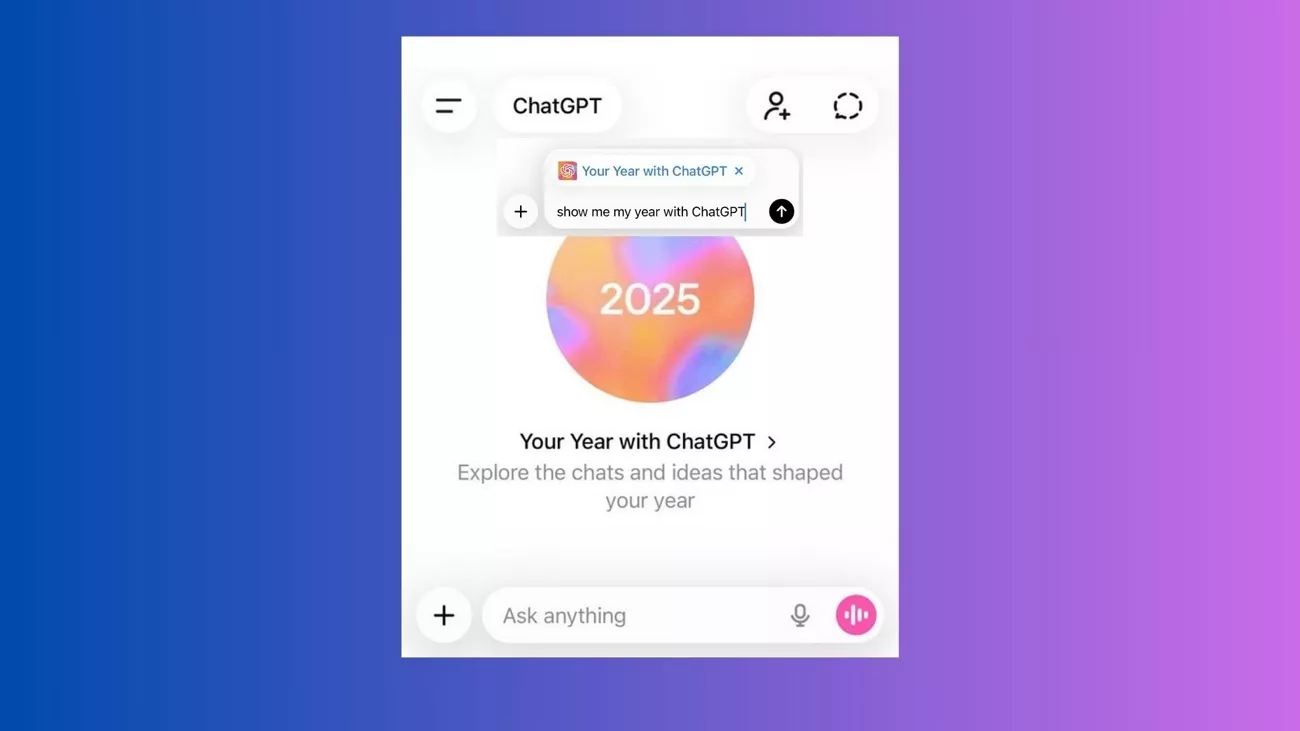
Part 2. How to Access "Your Year with ChatGPT" (Step-by-Step)
Once you know what the "Your Year with ChatGPT" feature does, follow the steps below to learn how you can access this feature:
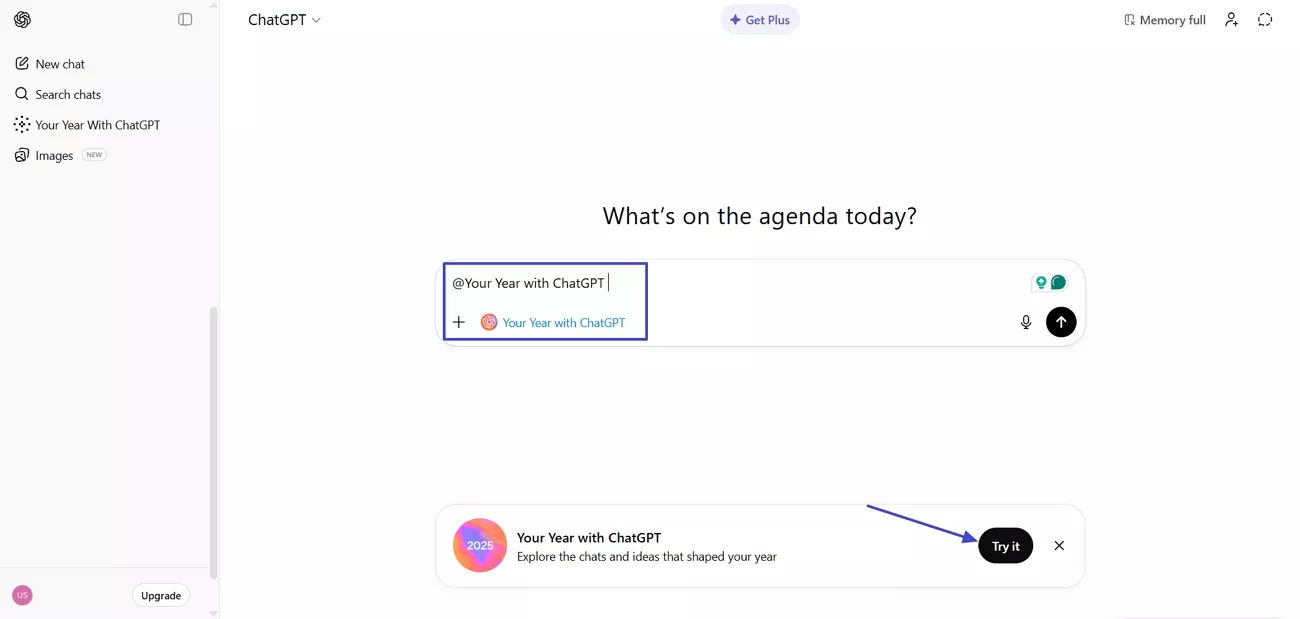
Step 1. Once you open the ChatGPT main interface, you'll see a pop-up for "Your Year with ChatGPT" below, where you need to press the "Try it" button. If you want to see this pop-up, type "@Your Year with ChatGPT" and press the "Enter" key.
Step 2. As you lead, press the "Get Started" button to proceed further.
Step 3. Afterwards, press the "Let's Begin" button. This will start collecting and generating your entire year recaps for review.
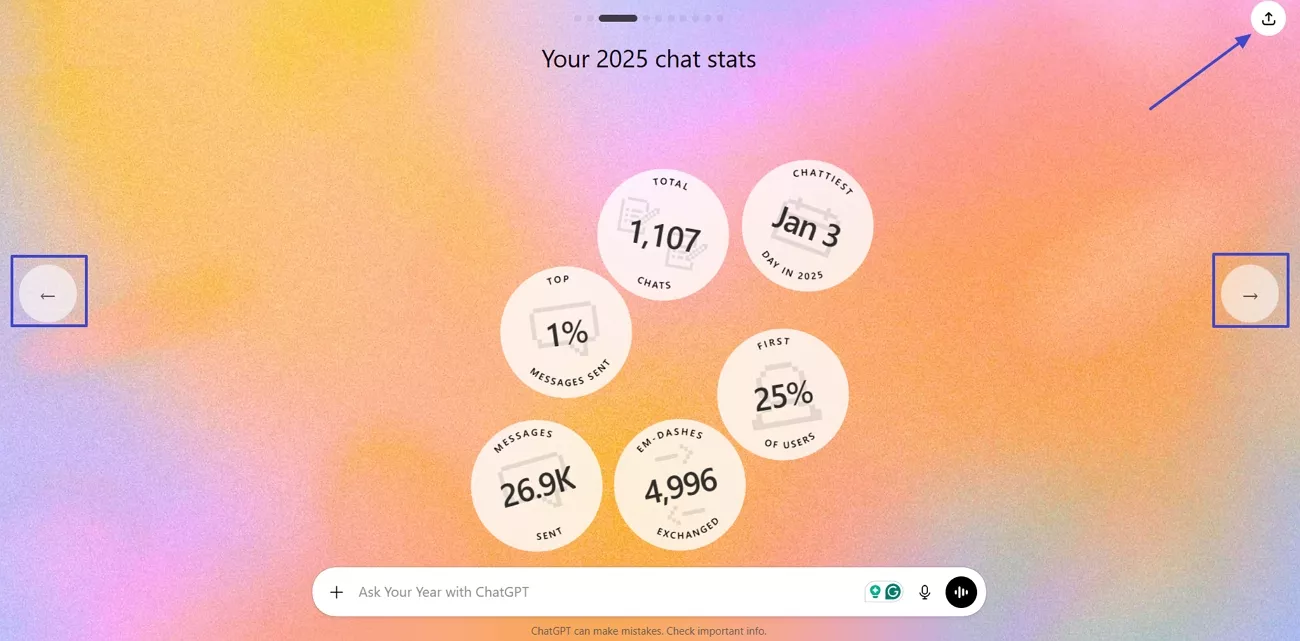
Step 4. Use the "Left" and "Right" controls to see your chat recaps, chat style, and stats for your entire year. Lastly, press the "Share" button in the top right corner to download or share your review on social media platforms.
Availability Notes: The feature is typically active only at the end of the calendar year, so plan accordingly. If you recently created an account, your data may be limited.
Pro Tip: To get the most accurate summary, log in with the account you used for your main ChatGPT interactions. This way, your year-in-review will fully reflect your AI engagement.
Part 3. What Your ChatGPT Year Reveals About Your AI Habits
Looking at your ChatGPT year-in review provides valuable insights into how you interact with AI and which habits shaped your usage over the past year.
Common Patterns Users Notice
Let's explore the patterns to understand recurring behavior and identify which tasks they use AI for most frequently, setting the stage for discovering emerging trends.
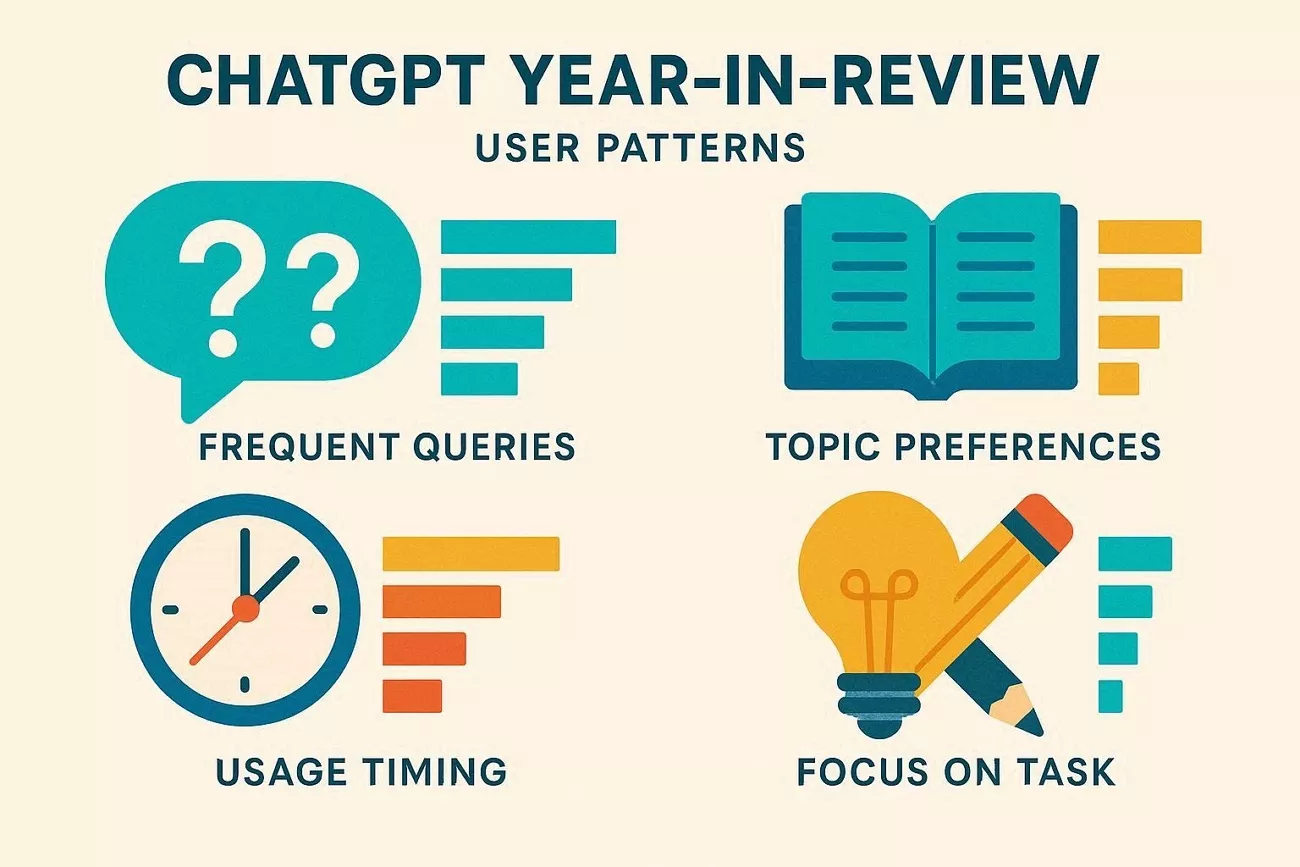
- Frequent Queries: Users often ask similar types of questions repeatedly.
- Topic Preferences: Certain subjects dominate user interactions throughout the year.
- Usage Timing: Activity often peaks during specific times, days, or months.
- Focus on Task: Users rely on ChatGPT for learning new skills and completing creative tasks.
Emerging Trends
An important emerging trend is that people use ChatGPT for multi-step workflows instead of single prompts. Users now paste context and refine outputs within one ongoing conversation. This behavior shows ChatGPT evolving from a quick answer tool into a workspace for decision support.
Insights Gained
The ChatGPT year-end review helps users reflect on their AI habits and identify patterns in usage. It highlights which tasks dominate interactions and fosters skill development in research, writing, and problem-solving. These insights guide users to integrate AI into future projects and daily routines.
Part 4. From Conversations to Documents: Where ChatGPT Meets Its Limits
ChatGPT can handle short snippets of documents well, but as soon as your work becomes file‑based, the cracks start to show. This is where users begin to feel the need for tools built around whole documents instead of messages. Let's explore the most common ways these limitations show up in real document‑heavy workflows.
- Limited context window, so very long PDFs or multi‑document projects cannot all be processed at once.
- Structure loss when pasting text, meaning tables, figures, and layout cues often disappear or become confusing.
- Tedious copy‑paste workflows, where you must manually chunk documents, track which part is which, and repeatedly restate context.
- Higher risk of missing details in long texts because the model may prioritize some sections and overlook others when the context is too large.
Part 5. Extending Your AI Workflow with UPDF AI Online
To handle document-heavy tasks, a solution that focuses specifically on PDFs is essential, rather than relying solely on ChatGPT. This is where UPDF AI Online, powered by GPT-5 and DeepSeek R1, takes over when information is stored in PDFs and requires structured analysis and extraction.
Using UPDF AI Online ensures document-focused tasks are managed efficiently. Instead of forcing a general AI model to handle PDFs, users can process content quickly, summarize key points, and extract insights in an organized, actionable format. This approach reduces extra steps and transforms raw information into clear, manageable outputs.
Windows • macOS • iOS • Android 100% secure
Core Capabilities
Having noticed the limitations revealed in the ChatGPT year-end review, let's explore the key features that make UPDF AI Online stand out.
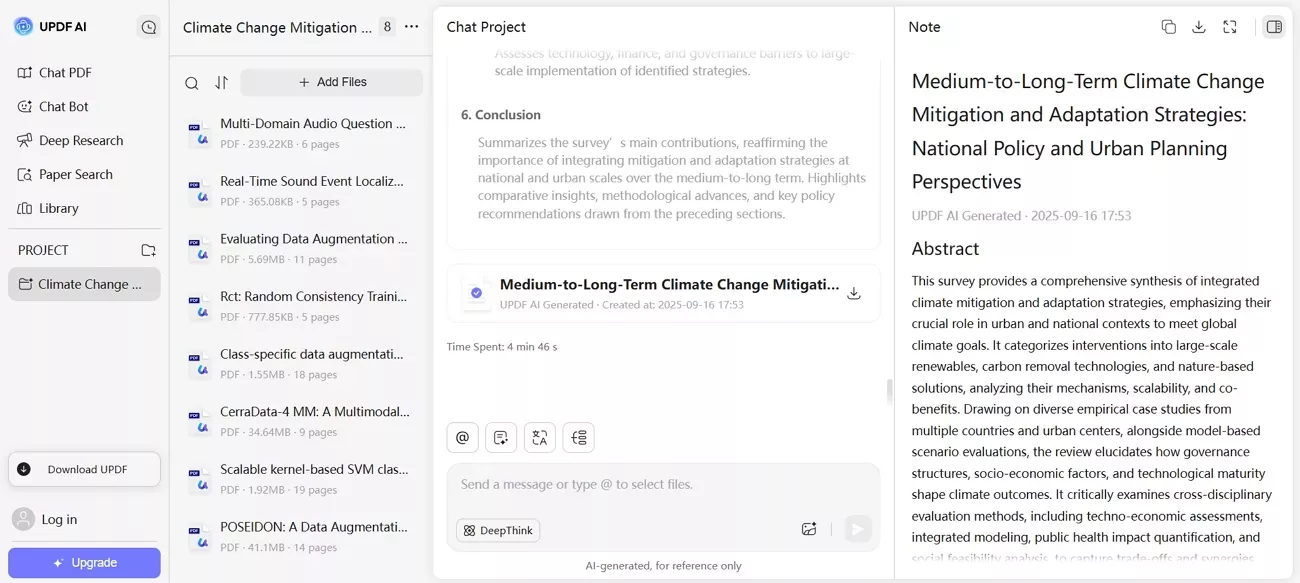
1. Scholar Research: Assist with academic work by extracting arguments and conclusions from research PDFs to support deeper study and writing.
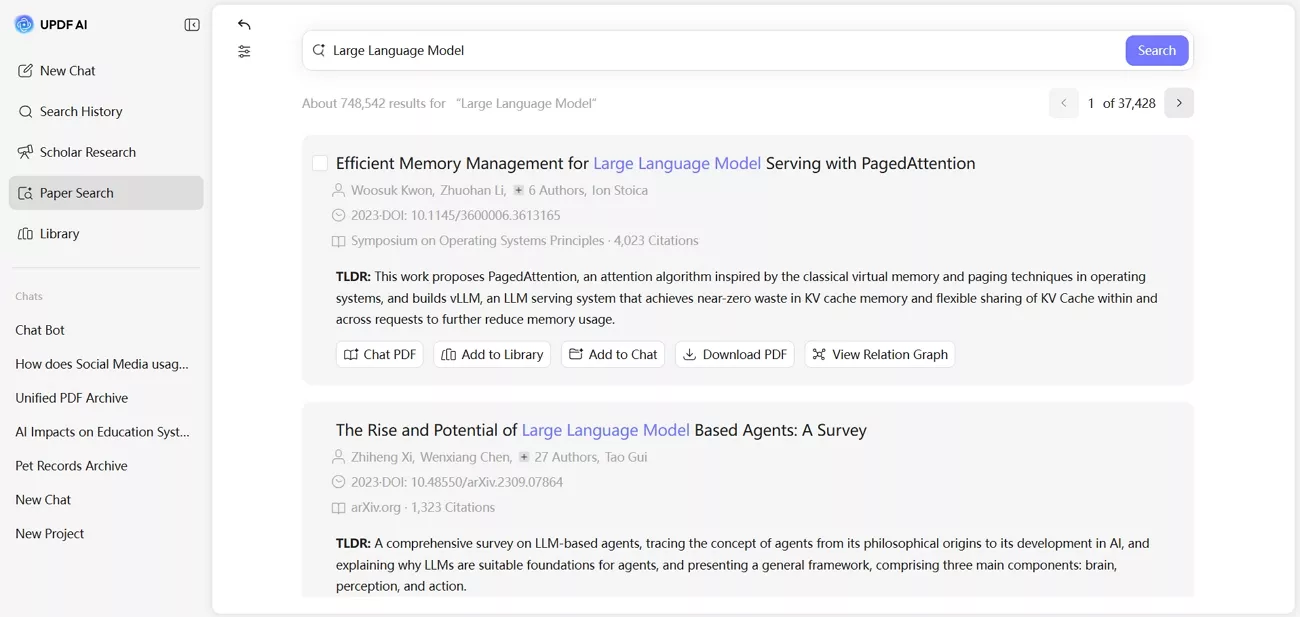
2. Paper Search: Locate academic papers and deliver a curated list of relevant studies with simple terms and keywords.
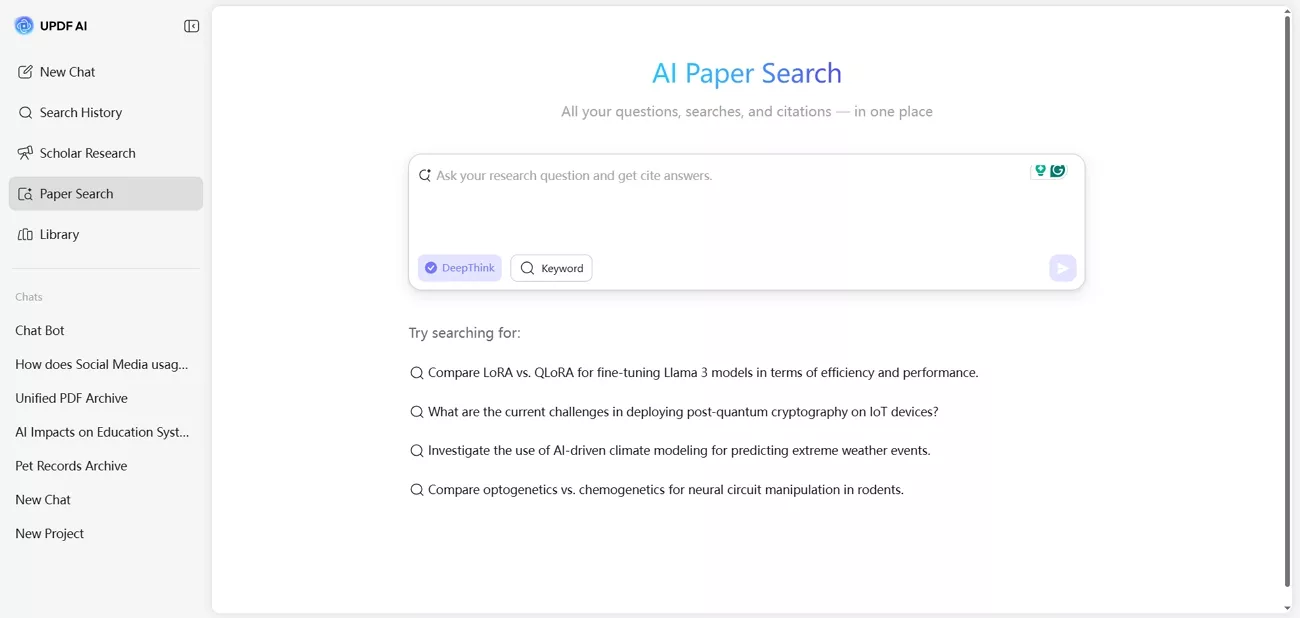
AI search mode interprets your question, analyzes relevant research papers, and returns summarized, citation-backed answers.
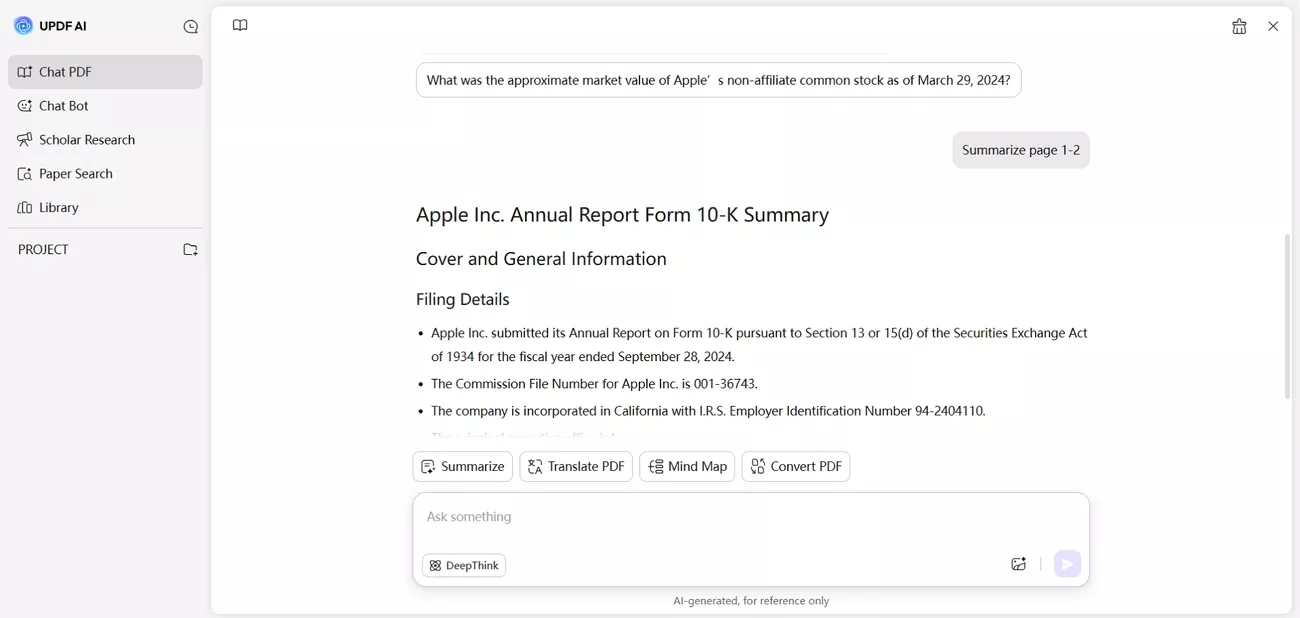
3. Summarize PDF: Turn long PDFs into short overviews with key points and section-wise breakdowns for quick understanding.
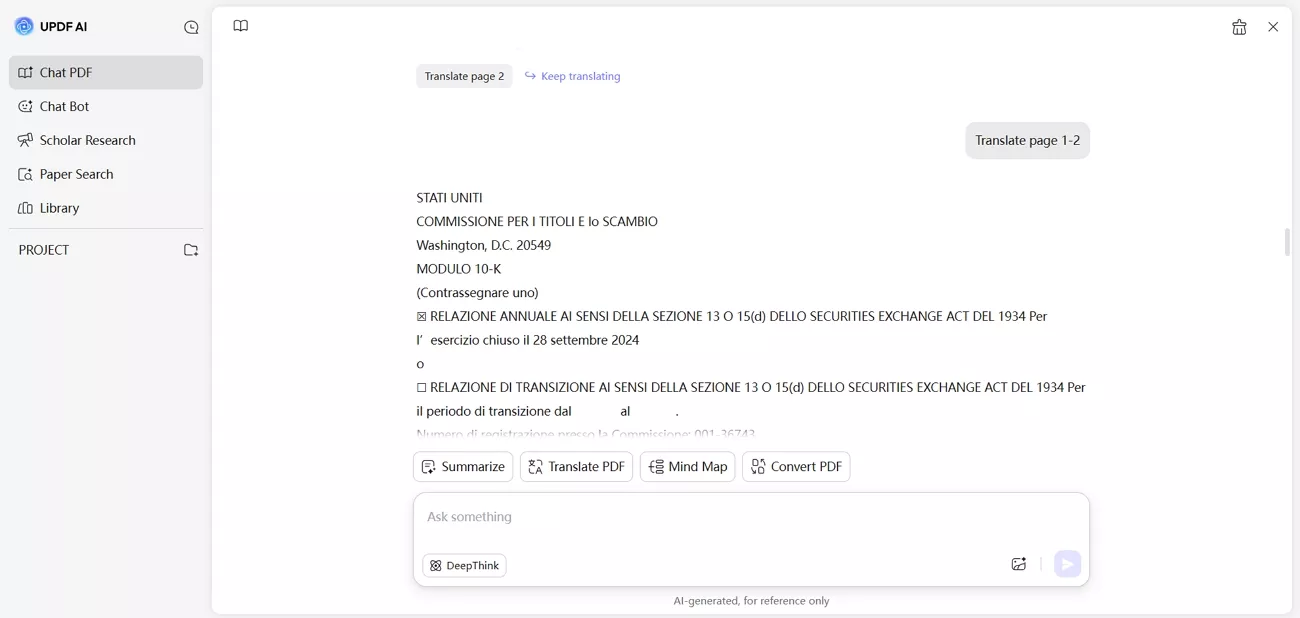
4. Translate PDF: Convert full PDFs into 12+ languages while keeping layout, structure, and readability consistent across pages. Additionally, if you copy and paste PDF content into the message box and ask UPDF AI to translate, you can receive translations in any language.
Comparison Between ChatGPT and UPDF AI Online
Now, look at the table below to compare both platforms and decide which suits your needs better.
| Aspect | ChatGPT | UPDF AI Online |
| Core Focus | General conversational assistant | AI for PDFs and images |
| Chat with PDF Documents | Chats with uploaded PDFs as side feature | "Chat with PDF" is main workflow |
| Long Document Analysis | Limited by context window | Built for long PDFs and multi‑PDF projects |
| Academic Paper Analysis | General purpose | Research-focused workflows |
| Free Access | Free tier, usage and rate limits | Free: 100 questions and 5 PDF uploads daily |
| Best Use Scenario | General question & writing | Studying, research, and document analysis |
Benefits Included in UPDF AI Online Free Version
Below are the benefits of using the free version of UPDF AI Online.
- Try UPDF AI in the browser without installing desktop software first, with 100 free queries.
- Upload real study or work PDFs within free limits to see how it handles your documents, up to 5 files.
- Use core AI tools at no cost, like summarize, explain, translate, and chat with PDF content, for 100 prompts.
- Combine general AI chat and PDF analysis in one place for a smoother workflow on several PDFs and hundreds of pages.
If you want to handle PDFs more efficiently, try UPDF AI Online today. Summarize, analyze, and extract insights from your documents instantly and experience a smarter workflow.
Conclusion
To conclude, "Your Year with ChatGPT" feature highlights how users interact with AI throughout the year. ChatGPT is an excellent conversational AI that does not cope with document tasks. For workflows involving long PDFs, UPDF AI Online provides efficient summarization, structured analysis, and extraction, turning complex documents into actionable insights directly in the browser



 Enola Miller
 Lizzy Lozano
 Enya Moore